See what's costing you.
Approve what fixes it.
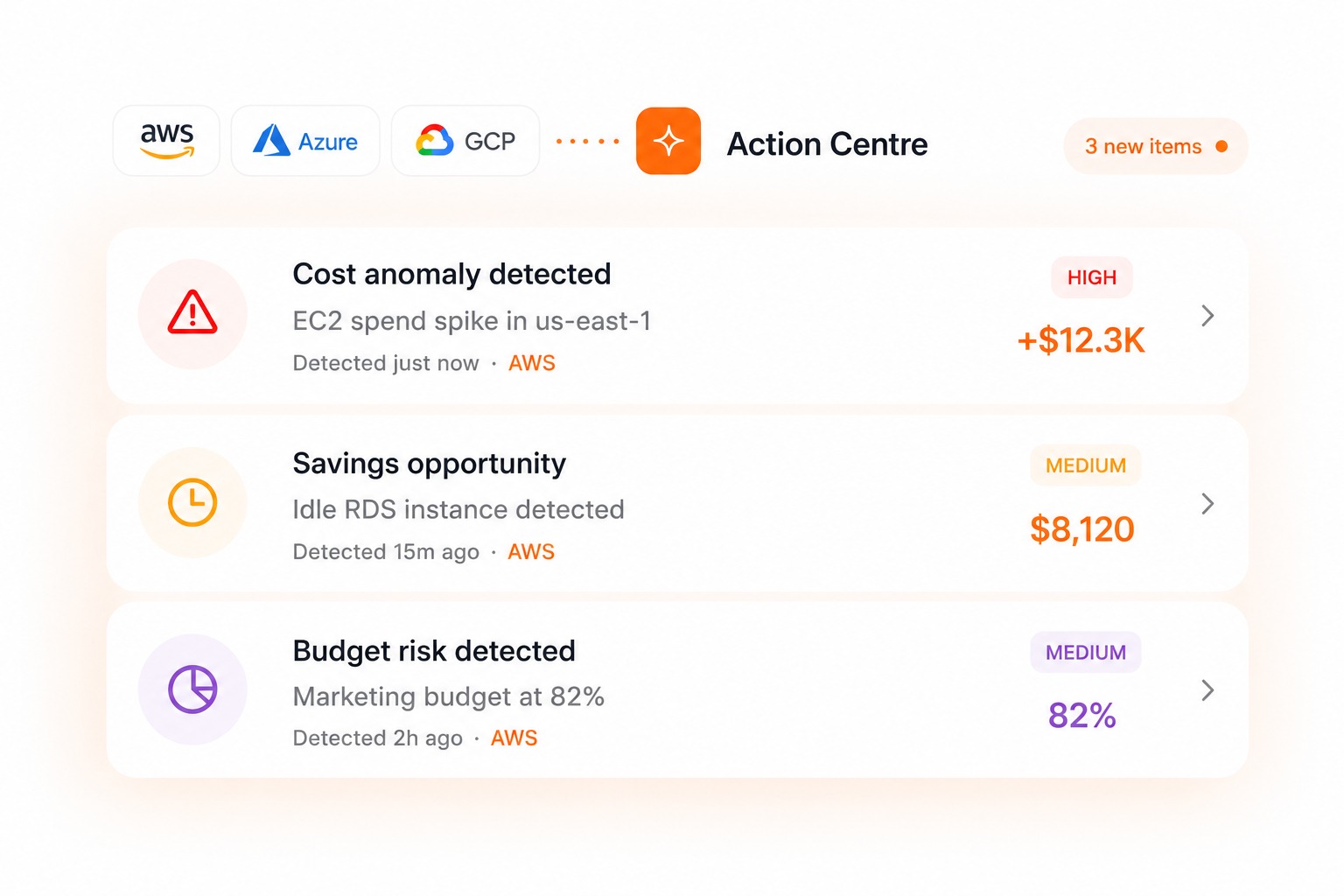
Every savings opportunity, anomaly, and budget risk in one queue — reviewed and approved by your team before anything changes.
Total Cost Detected
$0.0K
Total Actions Taken
$0.0K
Potential Savings
$0.0K
- MEDIUM
Savings opportunity
Idle RDS instance detected
Detected byResource Utilization·15m ago
- MEDIUM
Budget risk detected
Marketing budget at 82%
Detected byBudget Monitoring·2h ago
- HIGH
Underutilized resources
2 EBS volumes underutilized
Detected byAWS Trusted Advisor·5h ago
Team reviewed
Always in control
Risk minimized
Before any change
Savings unlocked
With confidence
Audit ready
Every action tracked
INTEGRATIONS
Works with every source you already connect.


One Queue. Every Action Reviewed.
Unified action queue
Savings, waste, anomalies, and budget risks — all surfaced in one place instead of scattered across vendor consoles.
Human-in-the-loop approval
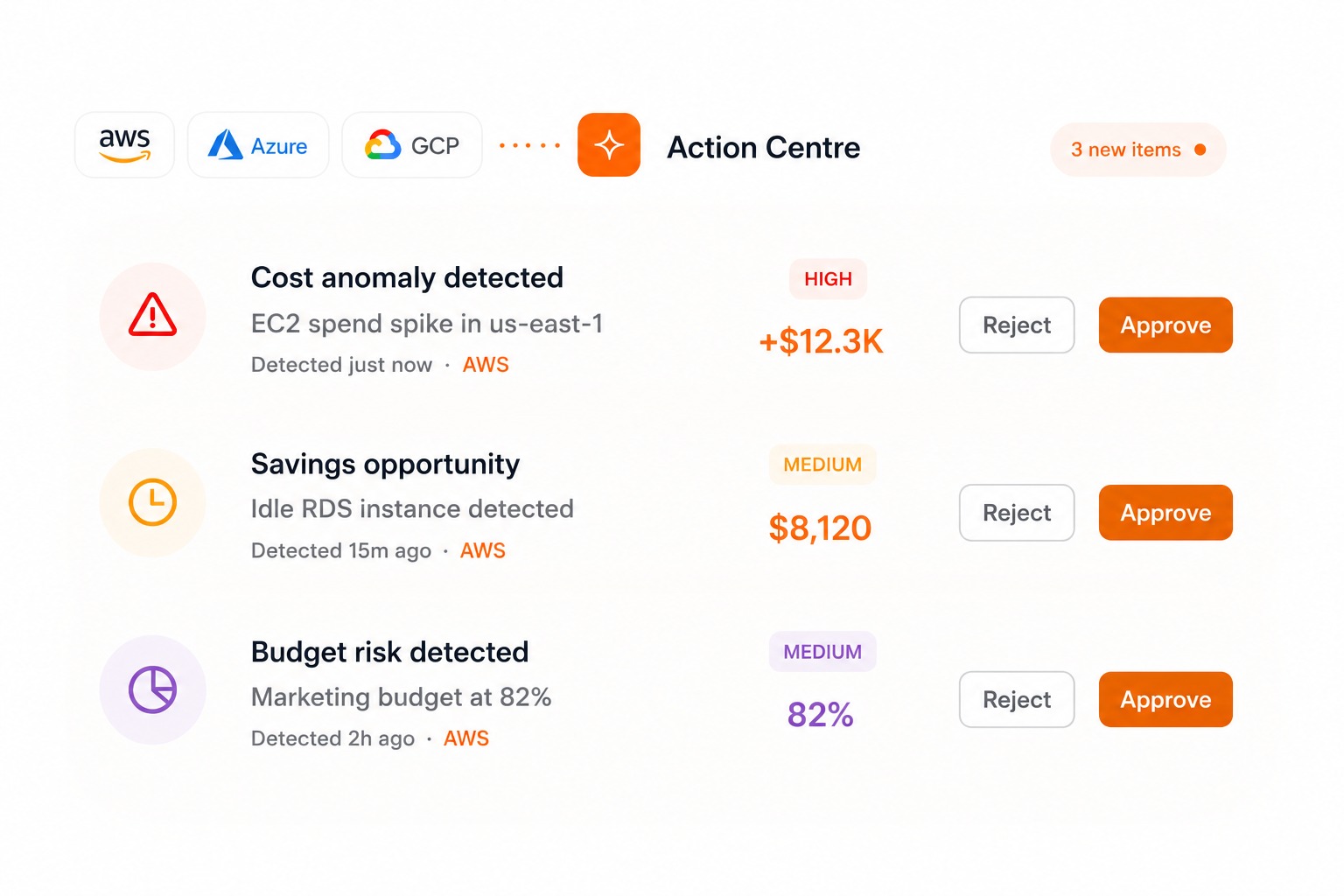
Nothing destructive happens automatically. Every proposed action waits for a person to review and approve it first.
Investigate before you act
Pull up the context behind any item — drill into the resource, the spend pattern, or ask the AI Chat agent directly — before deciding.
Resolve or dismiss
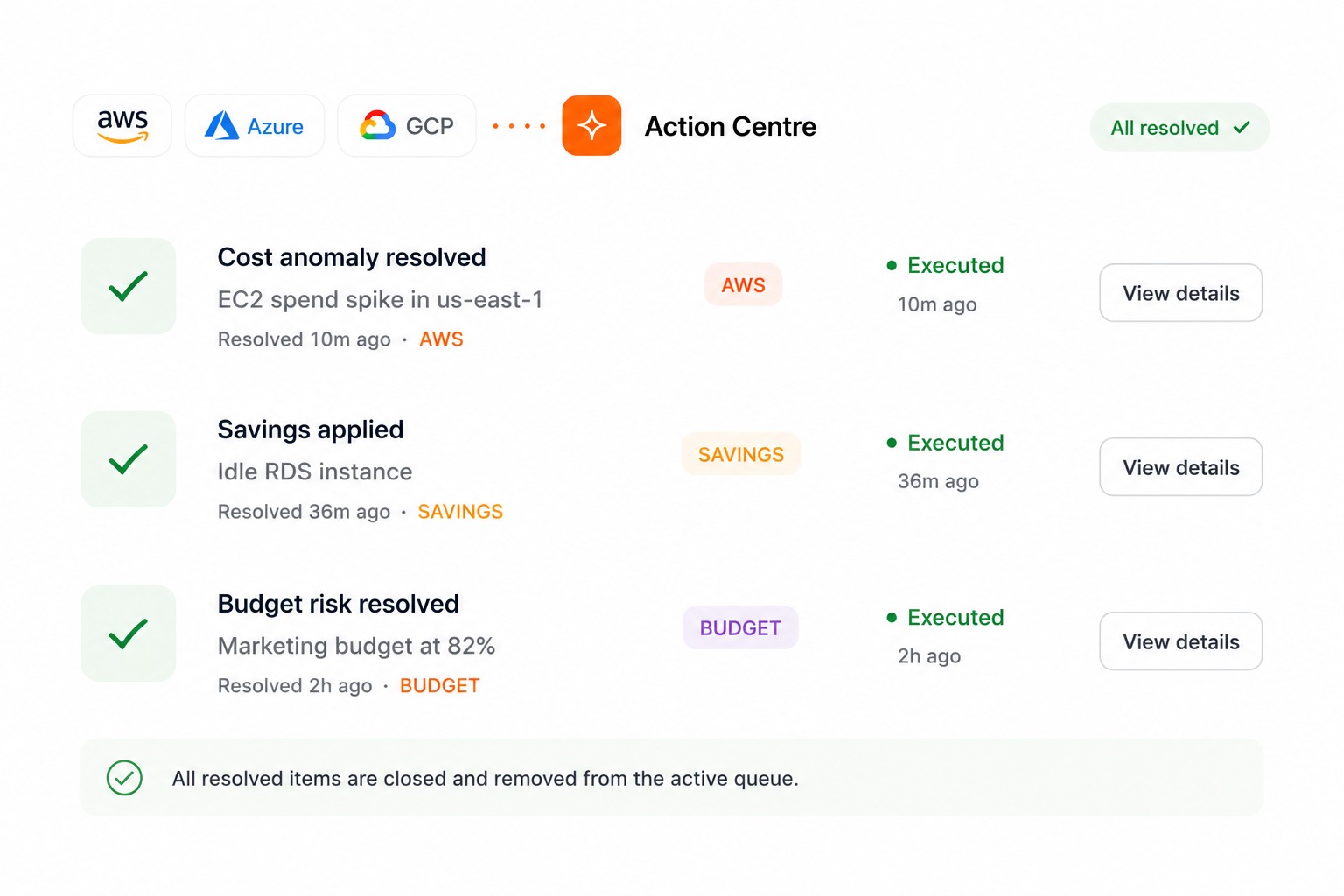
Close the loop on every item — mark it resolved, dismissed, or in progress, so nothing sits in limbo.
Your value journey
SURFACE
Savings, waste, anomaly, and budget items are assembled automatically from live billing snapshots — no manual review of every vendor console.
INVESTIGATE
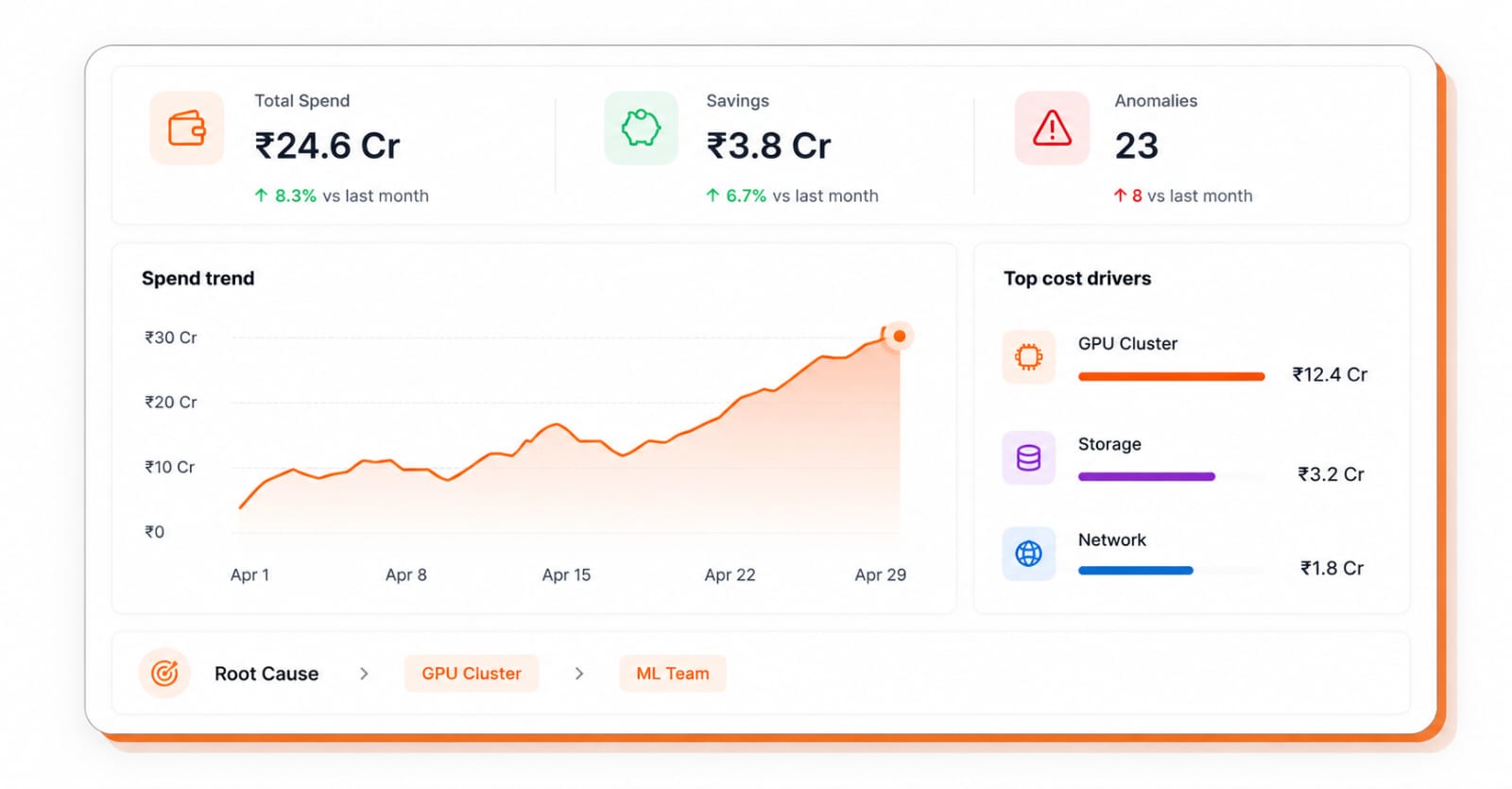
Drill into any item's context, or hand it to the AI Chat agent to explain what's driving it and why.
APPROVE
Nothing executes without a person signing off — review the proposed action and approve, reject, or request more detail.
RESOLVE
Once approved and executed, the item closes out — so your queue reflects what's actually outstanding, not a growing backlog.
Built for every stakeholder
- One queue for every savings, waste, and anomaly item across your stack
- Approve or reject proposed fixes before they execute — nothing runs unattended
- Investigate context on any item without leaving the platform
Stop letting waste sit in a spreadsheet.
See every savings and risk item in one place — and decide what happens next.